About Pileometer by Brickit
Pileometer by Brickit is a game-changer for anyone who loves building or misses the feeling of joy their bricks used to give them. It is both an app and a storage system that provides you with exact digital catalog of the...
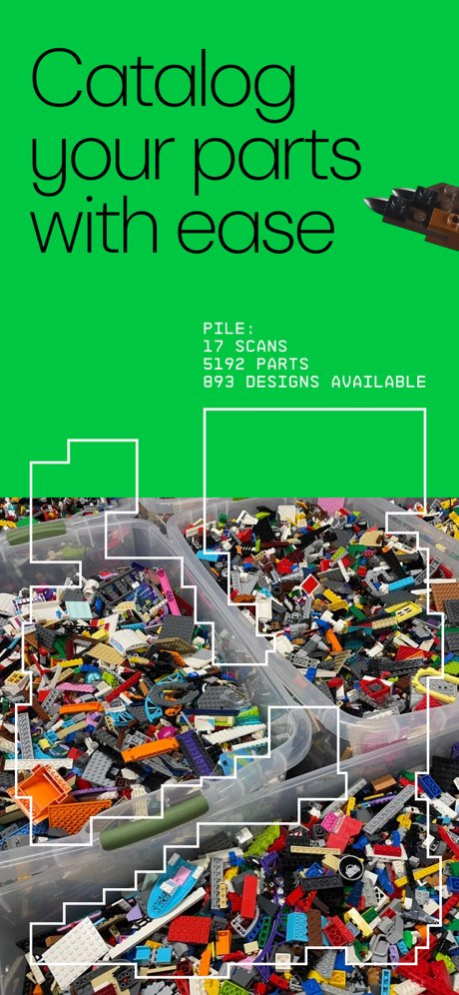
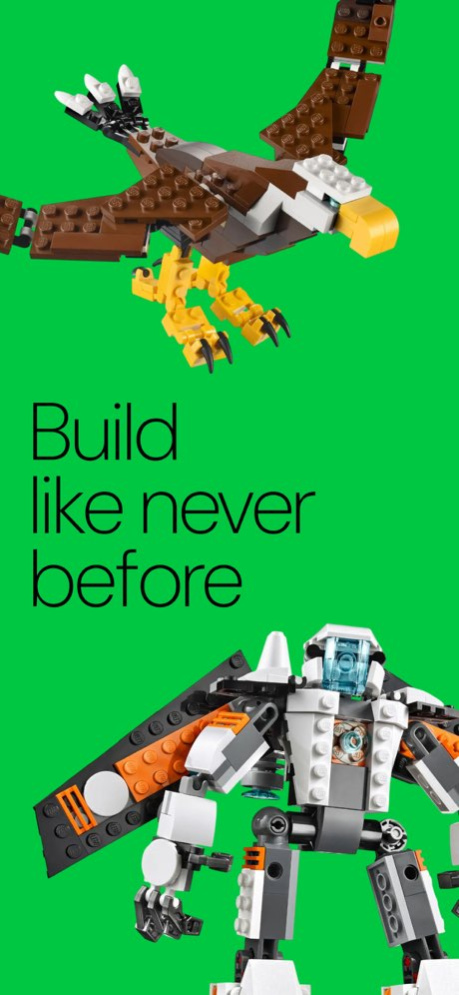
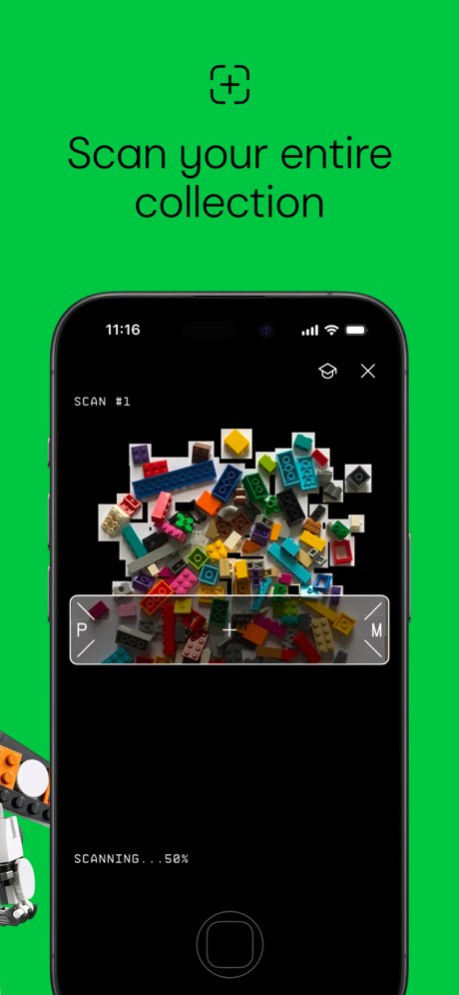
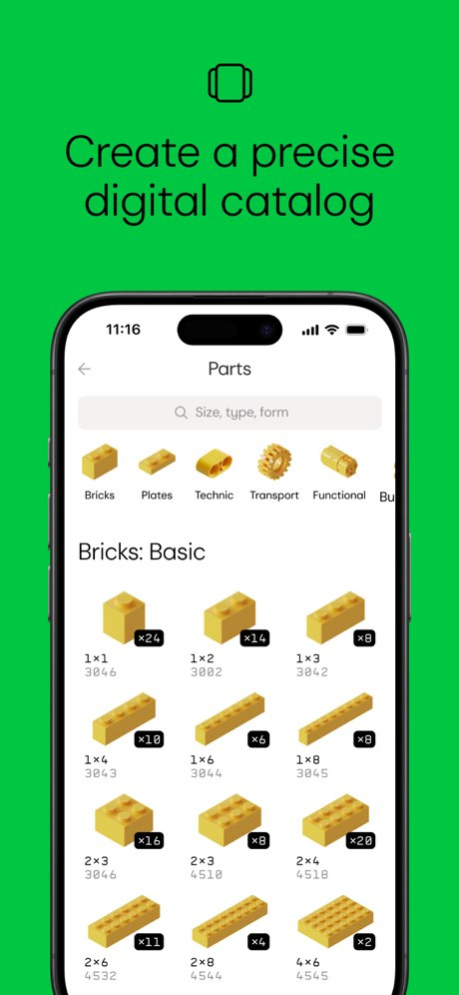
Pileometer by Brickit is a game-changer for anyone who loves building or misses the feeling of joy their bricks used to give them. It is both an app and a storage system that provides you with exact digital catalog of the parts you own. Using cutting-edge recognition technology, Pileometer by Brickit helps you organize your parts, discover fascinating building designs, and build complex creations. Precise Digital Catalog Create an accurate digital inventory of your entire parts collection. Advanced Parts Scanner Take a photo of your parts and let Pileometer by Brickit auto-recognize 1600 different shapes with precision. Parts Location Guidance Intricate builds are much more fun when you always know where to find the exact shape and color you need. Building Ideas Library Access a vast catalog of building ideas tailored to your parts collection. Pileometer is perfect for anyone who wants to bring a long-needed neatness into a usually scattered building experience, as well as anyone who’d love to find new inspiration in a box of Lego left somewhere in a distant corner. Pro Subscription Terms: - Subscriptions automatically renew unless auto-renewal is turned off at least 24 hours before the end of the current period. - Payment will be charged to your iTunes account upon confirmation of purchase. - Your account will be charged for renewal within 24 hours of the end of the current period. - Users can manage their subscriptions and turn off auto-renewal by going to Account Settings after purchase. - Any unused portion of a free trial period, if offered, will be forfeited when the user purchases a subscription. - License agreement: https://pileometer.app/eula/ - Privacy policy: https://pileometer.app/privacy-policy/ Pileometer by Brickit was created by fans and is not an official LEGO(R) product. The LEGO Group of companies does not sponsor or support Pileometer.
Version History Technical update: made several bug fixes and performance improvements. 2.2.3 10/29/2025 Fixed crashes that occurred when taking photos on iPhone 17 Pro and iPhone 17 Pro Max. 2.2.2 10/20/2025 Bug Fixes 2.2.1 09/16/2025 Bug Fixes 2.2.0 08/23/2025 Bug Fixes 2.1.24 07/22/2025 Bug Fixes 2.1.0 06/17/2025 Improvements • Expanded the parts catalog from 3,000 to 8,000 pieces, using the widely adopted Rebrickable standards. • Added a huge number of new designs. • Speed boosts for large collections — browsing and scanning 10,000+ parts is now noticeably faster. • Improved the building algorithm: you’re now prompted to prepare all required parts in advance. • Full tablet support — Pile[o]meter now adapts beautifully to larger screens. 2.0.0 05/28/2025 Improvements • Enhanced the scanning tutorial to guide you toward perfect scans. • Various small improvements across the app. We also fixed an authorization issue that prevented some users from logging in. 1.6.3 04/25/2025 Improvements • Enhanced the scanning tutorial to guide you toward perfect scans. • Various small improvements across the app. We also fixed an authorization issue that prevented some users from logging in. 1.6.2 04/23/2025 Improvements • Enhanced the scanning tutorial to guide you toward perfect scans. • Various small improvements across the app. We also fixed an authorization issue that prevented some users from logging in. 1.6.1 04/18/2025 Improvements • Added a scanning tutorial. If you’re struggling with making a good scan, it should make your experience a little smoother. • Added snapshots from user photos to display in the manual fine-tune section. Seems that fine-tuning is much easier this way. • Made minor UI tweaks all around the app. Also, we fixed a UI bug that blocked some interactive elements on devices with low resolution. 1.6.0 03/22/2025 Bug Fixes • Improved tooltip layout on small devices. • Fixed an issue where the login screen wouldn’t close after a successful sign-in. This is a hotfix we’re releasing as quickly as possible. Thank you for updating! 1.5.1 03/11/2025 Bug Fixes & Improvements • We’ve reimagined onboarding—getting started is now a smoother, more welcoming journey. • Fixed a UI bug on smaller screens that was keeping interactive elements out of reach. Thanks for updating! 1.5.0 03/08/2025 Bug Fixes & Improvements • Fixed an issue in instructions where navigating to the correct page in grid layout wasn’t working. • Updated Parts section with a fresh design for smoother navigation and better grouping—think birdwatching field guides. • Tapping a part preview in Parts now shows its location on a scan for easier class selection. • Added a new Recent group showing the shapes you last assigned. • Extended Best Guesses list to display up to 12 parts. • Fixed the No Internet Connection message reappearing after minimizing the app. • Added a 13+ age confirmation step on the login screen. • Corrected the viewfinder display so it’s properly sized and the capture button is always accessible. Happy exploring! 1.4.0 03/03/2025 Sometimes, it’s hard to keep up with our own releases. Recently, we’ve added export and batch editing features and also a search for the Designs Catalog. This release brings some other improvements: -Added tooltips throughout the app to highlight its advanced features. -Fixed a nasty bug that wouldn’t let some users see any designs after a completed scan. -Fixed multiple minor bugs. 1.3.0 02/21/2025 Technical update: made several bug fixes and performance improvements 1.2.0 02/12/2025 Technical update: made several bug fixes and performance improvements 1.1.1 01/27/2025 Technical update: made several bug fixes and performance improvements 1.1.0 01/20/2025 Technical update: made several bug fixes and performance improvements 1.0.12 01/12/2025 Technical update: made several bug fixes and performance improvements 1.0.11 01/06/2025 Technical update: made several bug fixes and performance improvements 1.0.10 12/30/2024 Technical update: made several bug fixes and performance improvements 1.0.9 12/24/2024 Technical update: made several bug fixes and performance improvements 1.0.8 12/12/2024 Technical update: made several bug fixes and performance improvements 1.0.7 12/07/2024 Technical update: made several bug fixes and performance improvements 1.0.6 12/04/2024
Previous Versions
Here you can find the changelog of Pileometer by Brickit since it was posted on our website on 2026-01-25 03:05:32.
The latest version is 2.2.3 and it was updated on 2026-10-07 01:58:59. See below the changes in each version.
Pileometer by Brickit version 2.2.3
Updated At: 2026-10-07
Changes: Version History Technical update: made several bug fixes and performance improvements. 2.2.3 10/29/2025 Fixed crashes that occurred when taking photos on iPhone 17 Pro and iPhone 17 Pro Max. 2.2.2 10/20/2025 Bug Fixes 2.2.1 09/16/2025 Bug Fixes 2.2.0 08/23/2025 Bug Fixes 2.1.24 07/22/2025 Bug Fixes 2.1.0 06/17/2025 Improvements
• Expanded the parts catalog from 3,000 to 8,000 pieces, using the widely adopted Rebrickable standards.
• Added a huge number of new designs.
• Speed boosts for large collections — browsing and scanning 10,000+ parts is now noticeably faster.
• Improved the building algorithm: you’re now prompted to prepare all required parts in advance.
• Full tablet support — Pile[o]meter now adapts beautifully to larger screens. 2.0.0 05/28/2025 Improvements
• Enhanced the scanning tutorial to guide you toward perfect scans.
• Various small improvements across the app.
We also fixed an authorization issue that prevented some users from logging in. 1.6.3 04/25/2025 Improvements
• Enhanced the scanning tutorial to guide you toward perfect scans.
• Various small improvements across the app.
We also fixed an authorization issue that prevented some users from logging in. 1.6.2 04/23/2025 Improvements
• Enhanced the scanning tutorial to guide you toward perfect scans.
• Various small improvements across the app.
We also fixed an authorization issue that prevented some users from logging in. 1.6.1 04/18/2025 Improvements
• Added a scanning tutorial. If you’re struggling with making a good scan, it should make your experience a little smoother.
• Added snapshots from user photos to display in the manual fine-tune section. Seems that fine-tuning is much easier this way.
• Made minor UI tweaks all around the app.
Also, we fixed a UI bug that blocked some interactive elements on devices with low resolution. 1.6.0 03/22/2025 Bug Fixes
• Improved tooltip layout on small devices.
• Fixed an issue where the login screen wouldn’t close after a successful sign-in.
This is a hotfix we’re releasing as quickly as possible. Thank you for updating! 1.5.1 03/11/2025 Bug Fixes & Improvements
• We’ve reimagined onboarding—getting started is now a smoother, more welcoming journey.
• Fixed a UI bug on smaller screens that was keeping interactive elements out of reach.
Thanks for updating! 1.5.0 03/08/2025 Bug Fixes & Improvements
• Fixed an issue in instructions where navigating to the correct page in grid layout wasn’t working.
• Updated Parts section with a fresh design for smoother navigation and better grouping—think birdwatching field guides.
• Tapping a part preview in Parts now shows its location on a scan for easier class selection.
• Added a new Recent group showing the shapes you last assigned.
• Extended Best Guesses list to display up to 12 parts.
• Fixed the No Internet Connection message reappearing after minimizing the app.
• Added a 13+ age confirmation step on the login screen.
• Corrected the viewfinder display so it’s properly sized and the capture button is always accessible.
Happy exploring! 1.4.0 03/03/2025 Sometimes, it’s hard to keep up with our own releases. Recently, we’ve added export and batch editing features and also a search for the Designs Catalog. This release brings some other improvements:
-Added tooltips throughout the app to highlight its advanced features.
-Fixed a nasty bug that wouldn’t let some users see any designs after a completed scan.
-Fixed multiple minor bugs. 1.3.0 02/21/2025 Technical update: made several bug fixes and performance improvements 1.2.0 02/12/2025 Technical update: made several bug fixes and performance improvements 1.1.1 01/27/2025 Technical update: made several bug fixes and performance improvements 1.1.0 01/20/2025 Technical update: made several bug fixes and performance improvements 1.0.12 01/12/2025 Technical update: made several bug fixes and performance improvements 1.0.11 01/06/2025 Technical update: made several bug fixes and performance improvements 1.0.10 12/30/2024 Technical update: made several bug fixes and performance improvements 1.0.9 12/24/2024 Technical update: made several bug fixes and performance improvements 1.0.8 12/12/2024 Technical update: made several bug fixes and performance improvements 1.0.7 12/07/2024 Technical update: made several bug fixes and performance improvements 1.0.6 12/04/2024
Pileometer by Brickit version 2.2.3
Updated At: 2025-10-29
Changes: Technical update: made several bug fixes and performance improvements.
Disclaimer
Official App Store Link
We do not host Pileometer by Brickit on our servers. We did not scan it for viruses, adware, spyware or other type of malware. This app is hosted by Apple and passed their terms and conditions to be listed there. We recommend caution when installing it.
The App Store link for Pileometer by Brickit is provided to you by apps112.com without any warranties, representations or guarantees of any kind, so access it at your own risk.
If you have questions regarding this particular app contact the publisher directly. For questions about the functionalities of apps112.com contact us.